• Shopping Cart Shopping Cart
    0Shopping Cart
Kingmax
  • Who We Are
  • What we sell
  • What we believe
  • Shop
  • Contact
  • Menu Menu
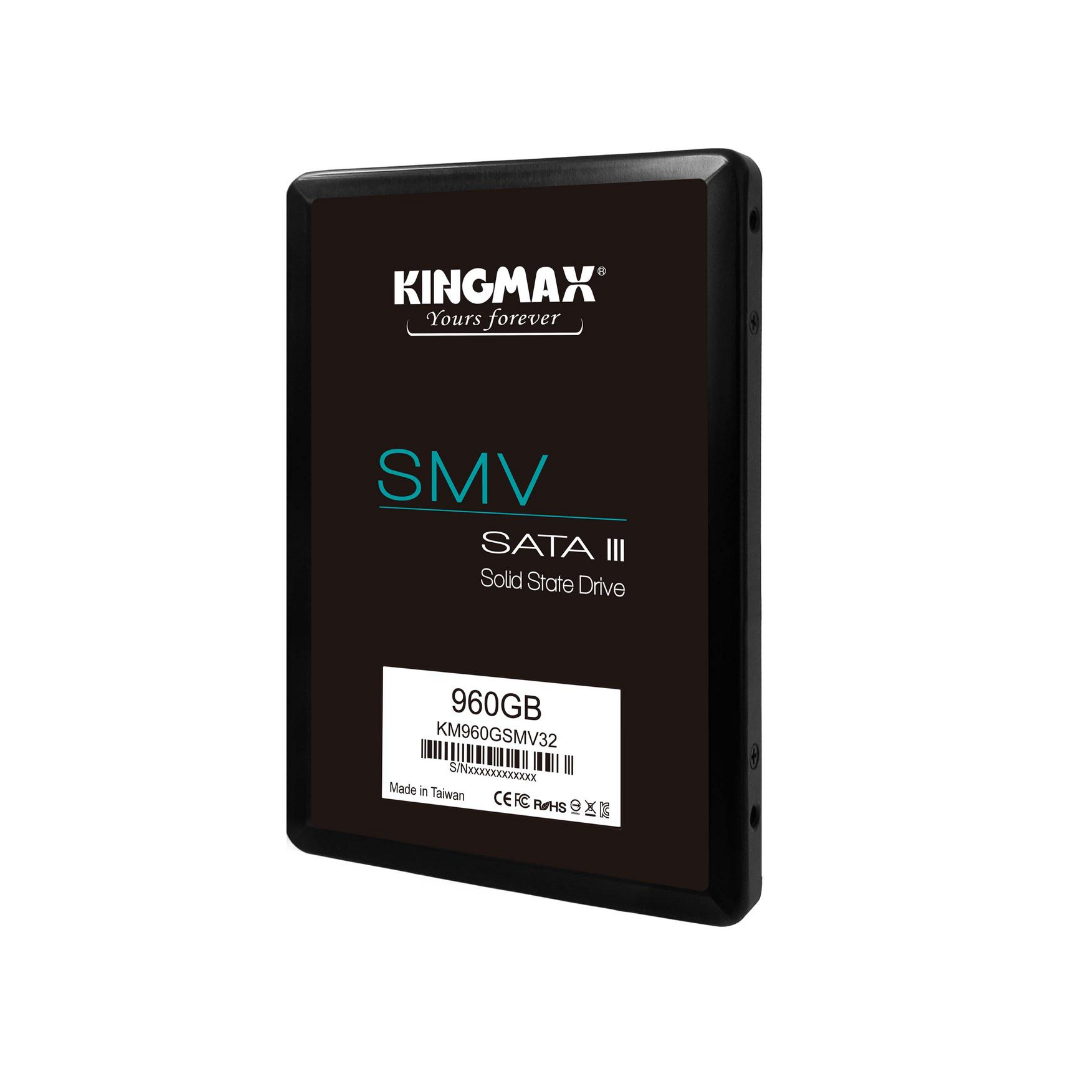
2.5 inch SATA III SSD SMV32

2.5 inch SATA III SSD SMV32

2.5″ SATA III SSD

120GB/240GB/480GB/960GB

Category: SSD
  • Description
  • Feature
  • Specification
  • FAQ
  • Reviews (0)

Description

The SMV32 SATA III 2.5” SSDs is faster, stable and high efficiency which makes a timely debut as many must be considering a upgrade of their HDDs. A highly efficient operating environment is readily put in place as SMV32 delivers sequential read/write speeds of up to 500 MB/s and 480 MB/s respectively. SMV32 is available in capacities of 120GB/240GB/480GB/960GB, it supports the SATA 3.1 interface.

Feature

  • High speed 3D NAND synchronous flash
  • High speed transmission and Fast boots up
  • Great performance and reliability
  • Support SLC Caching to enhance read/write performance
  • ECC technology to prevent data error and guarantee reliability
  • Powerful wear leveling algorithm to enhance lifetime
  • Support TRIM command and Garbage Collection technology
  • NCQ and RAID ready
  • S.M.A.R.T.monitoring system

Specification

Model Name SMV 32
Interface SATA III 6Gb/s
Capacity 120GB240GB480GB960GB
Dimension 100.5mm x 69.9mm x 7.0mm
Weight 71g
Sequential Read (Up to) 120GB 500 MB/s
240GB 500 MB/s
480GB 500 MB/s
960GB 500 MB/s
Sequential Write (Up to) 120GB 350 MB/s
240GB 410 MB/s
480GB 480 MB/s
960GB 480 MB/s
Operation Temperature 0~70 °C
Voltage DC 5V +/- 5%
Shock 1500G /0.5ms
MTBF 1.5 million hours
Power Consumption (Active) 2.5W (Max.)
Power Consumption (Idle) 0.5W (Max.)
Warranty 3 years

FAQ

How do I format Solid State Drive to NTFS on Windows?

On Windows 7 / 8 / 8.1 / 10:
1. Open “My Computer.”
2. Right click on the drive, and select “Format.”
3. Choose NTFS in the File System dropdown box, and click “Start.”

What is TRIM?

TRIM is a command that enables operating system (such as Windows 7) to notify the SSD which data is no longer valid and can be safely deleted. Also, the TRIM works when the SSD is idle so that it can maximize the performance and endurance of a SSD.

What is ECC?

ECC (Error correcting Code) automatically detects and corrects data corruption that occurs during reading, writing, storage, transmission or processing. This technology ensures a more complete and safer data transmission.

Reviews

There are no reviews yet.

Be the first to review “2.5 inch SATA III SSD SMV32” Cancel reply

Your email address will not be published. Required fields are marked *

Related products

  • M.2 2280 PCIe NVMe SSD Gen4x4 PX4480

    Add to cart Add to cart Read more Show Details Show Details Show Details
  • Portable SSD KE31

    Add to cart Add to cart Read more Show Details Show Details Show Details
  • M.2 2280 SATA III SSD SA 3080

    Add to cart Add to cart Read more Show Details Show Details Show Details
  • M.2 2280 PCIe NVMe SSD Gen3x4 PQ3480

    Add to cart Add to cart Read more Show Details Show Details Show Details
Link to: M.2 2280 SATA III SSD SA 3080 Link to: M.2 2280 SATA III SSD SA 3080 M.2 2280 SATA III SSD SA 3080
Scroll to top Scroll to top Scroll to top