Feature
- Comply with JEDEC standards
- ECC technology
- Selected high-quality IC chips
- High stability, reliability and compatibility
- Broader application and lower power consumption
- RoHS compliance

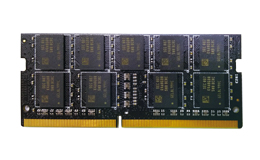
DDR4 ECC SO-DIMM
2133MHz/2400MHz/2666MHz/2800MHz
4GB/8GB/16GB
| Memory Type | DDR4 SO-DIMM | DDR4 SO-DIMM | DDR4 SO-DIMM | DDR4 SO-DIMM |
| Data rate | 2133MHz | 2400MHz | 2666MHz | 2800MHz |
| Pin | 260-Pin | 260-Pin | 260-Pin | 260-Pin |
| Bandwidth | 17.0GB/sec | 19.2GB/sec | 21.3GB/sec | 22.4GB/sec |
| CAS Latency | CL=16 | CL=17 | CL=19 | CL=19 |
| Voltage (VDD) | 1.2V | 1.2V | 1.2V | 1.2V |
| Capacity | 4GB/8GB/16GB | 4GB/8GB/16GB | 4GB/8GB/16GB | 4GB/8GB/16GB |
| Internal Banks | 16 | 16 | 16 | 16 |
| Operating temperature | 0~70°C | 0~70°C | 0~70°C | 0~70°C |
| Warranty | 5 | 5 | 5 | 5 |
Is DDR4 backward compatible with DDR3, DDR2 and DDR1?
No, DDR4 memory modules can’t be backward compatible with DDR3/DDR2/DDR1. Each module has different pin numbers and notch positions, so they can be installed in repective socket only. The power supply for each generation also varies:
DDR1 DIMMs voltage is 2.5V;
DDR2 DIMM voltage is 1.8V;
DDR3 DIMM voltage is 1.5V (or 1.35V for low-voltage version);
DDR4 DIMM voltage is 1.2V.
How do I plug the memory module into the memory slot of the motherboard?
Please make sure the memory module is correctly oriented that the notch of the module matches the memory slot, and then gently push the module straight down to the slot.
*Be aware that you must turn the computer off before installing or removing the modules.

 Zeus Dragon DDR4 Gaming RAM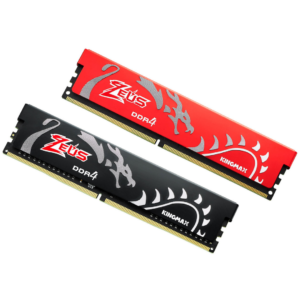

Reviews
There are no reviews yet.